
Solutions
Solutions for the workflows that make TCOR operational.
Assurified turns the work behind submissions, renewals, claims, resident programs, consultant collaboration, master programs, and executive reporting into controlled workflows.
AIRA · DETECTION
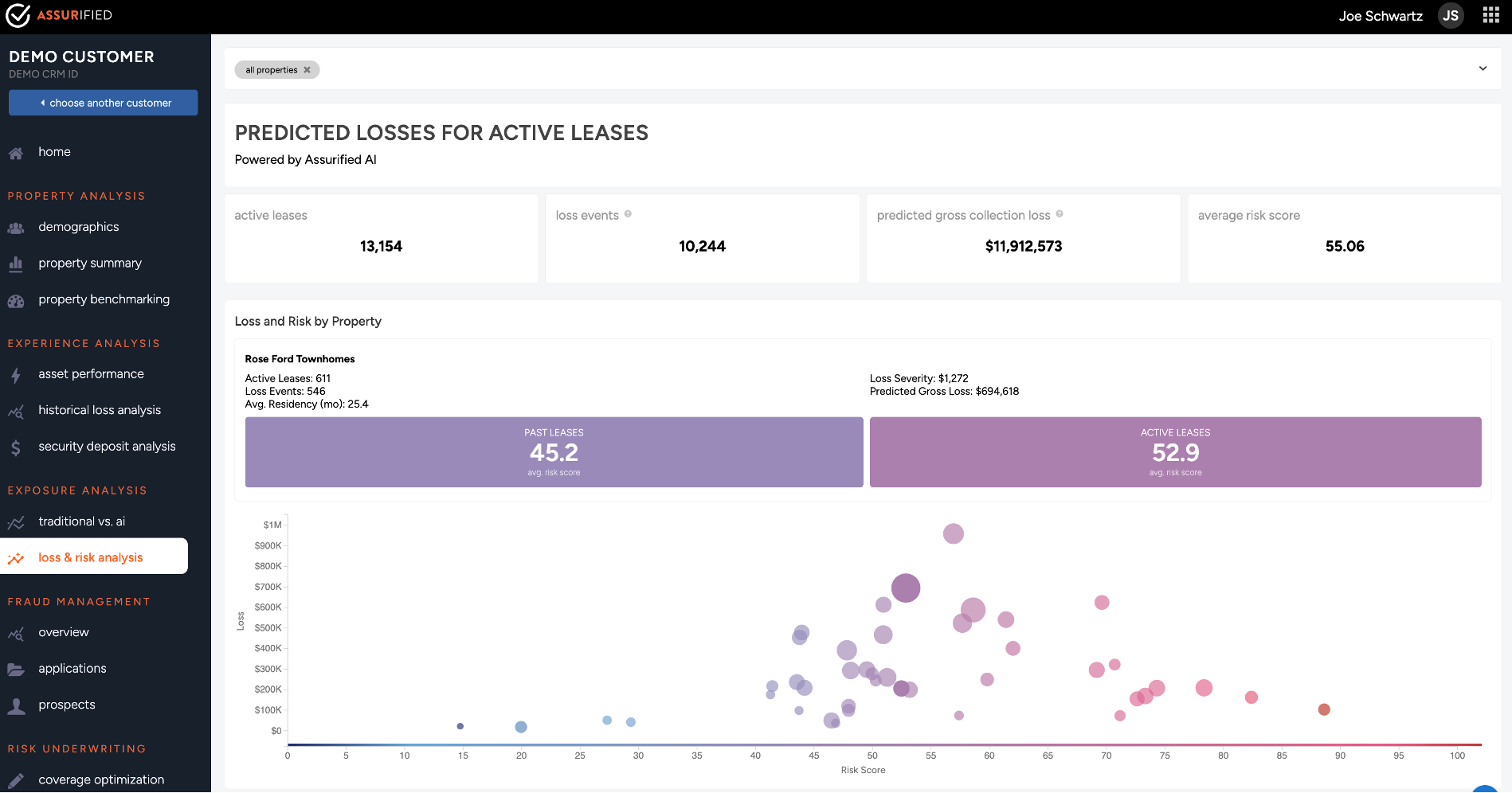
Where the dollars actually sit.
AIRA (Assurified Intelligent Risk Analytics) surfaces signal across the resident lifecycle, from pre-tour through loss. Resident default exposure shows up inside TCOR, not adjacent to it.
Heat-mapped exposure across properties, programs, and lifecycle stages
Default risk scored at lease-up, not after the loss is booked
Quantified TCOR contribution per asset, per program, per cohort
app.assurified.com
P&C INSURANCE OPERATIONS
From submission through resolution. On one platform.
COPE provenance, RFQ, quote, bind, COIs, claims, TCOR. The entire policy lifecycle stays connected to the data, the workflows, and the leaders who use it.
01SUBMISSION
COPE-grade SOV, in a week.
Document intelligence pulls construction, occupancy, protection, and exposure straight from policies, inspections, and lender files. Carriers see a clean, defensible portfolio.
02PLACEMENT
Quote, bind, COI, in flow.
RFQ, marketing, quote comparison, and binding live on the platform. COI compliance runs as a workflow, not a quarterly fire drill.
03CLAIMS
FNOL through resolution.
Claims operations stay tied to the policy, the property, and the program, not stranded in a TPA's queue. TCOR rolls up automatically.
InsurOps Workflows
Every P&C workflow. Automated end-to-end.
From document intake through quote and bind, each step is tracked, auditable, and connected to the same data layer that produces your TCOR.
Contact & Organization Records
Policy Management
Loss Run Management
Quote Renewal & RFQ
IDP
Contacts
Policies
Loss Runs
Quotes
RESIDENT PROGRAMS
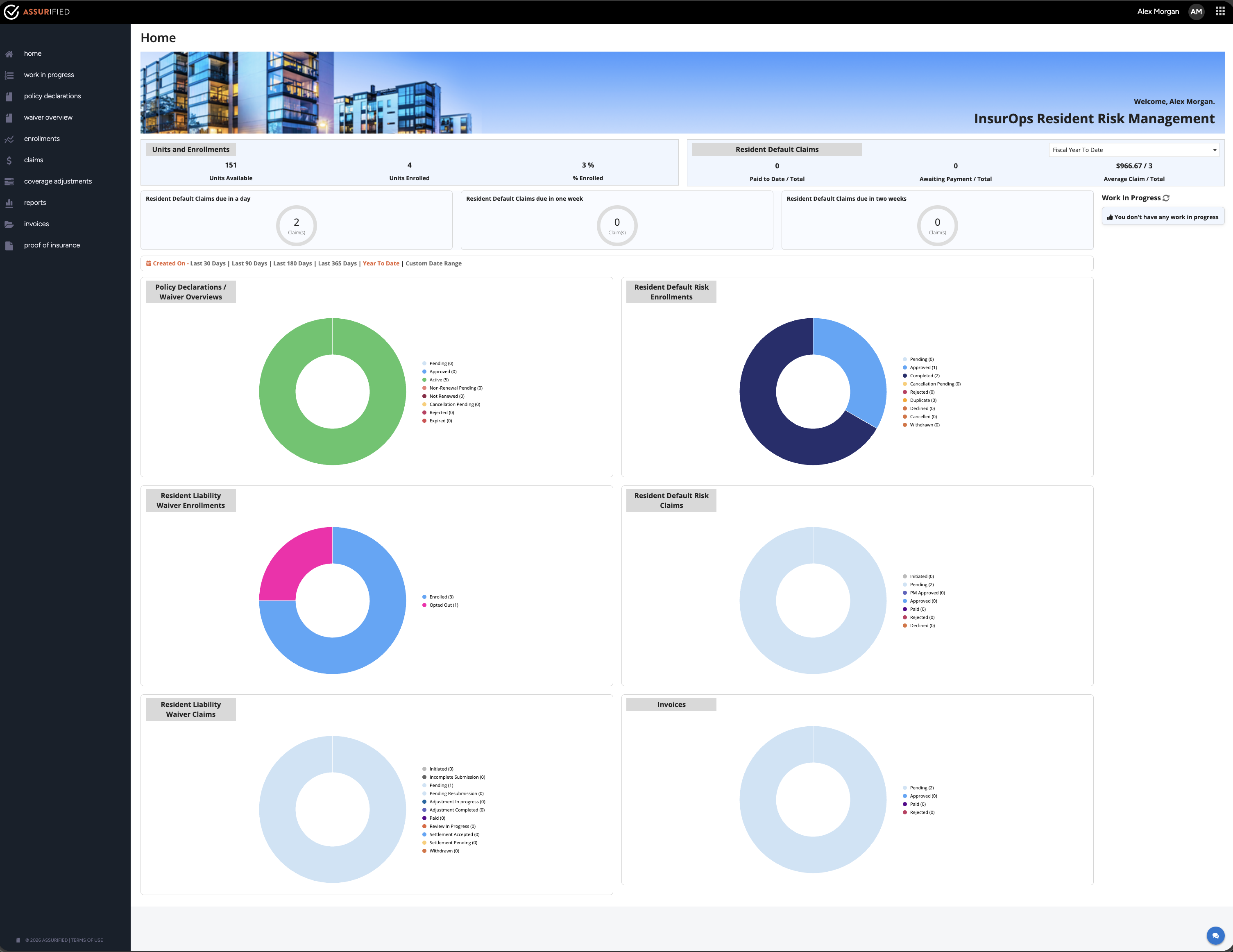
Default risk, turned into recovery.
Security deposit alternatives, and damage waiver programs. Designed and operated as part of the operations layer, not bolted on.
Enrollment built into the resident lifecycle, not a separate transaction
Default losses recovered as program income, back into NOI
Captive economics designed alongside the program, not after
app.assurified.com
Detection, economics, execution. Connected.
01DETECTION
AIRA heat map
Resident default exposure inside TCOR, not adjacent to it.
02ECONOMICS
TCOR dashboard
Per unit, per program, per asset, with the line items leaders actually sign off on.
03EXECUTION
Resident programs
Enrollment, claims, and recovery on the same platform that placed the policy.
InsurOps RDR Workflows
Resident Default & Recovery, end to end.
Product configuration through invoice close. Every workflow tracked, auditable, and connected to the same data layer.
Product Configuration
Customer Onboarding
Policy Lifecycle
Enrollment Lifecycle
Claim Lifecycle
Invoice Lifecycle
Product Configuration
Customer Onboarding
Policy Lifecycle
Enrollment
Claims
Invoices
InsurOps RLW Workflows
Resident Liability Waiver, setup through settlement.
From program configuration and lease ingest through POI verification, claim submission, and payment close.
Program Setup & Lease Ingest
Resident Waiver & POI Verification
Claim, Settlement & Payment
Setup & Lease Ingest
Resident POI Verification
Claims & Settlement
See every surface. In one session.
Walk through AIRA, InsurOps, and resident programs with your actual portfolio data.